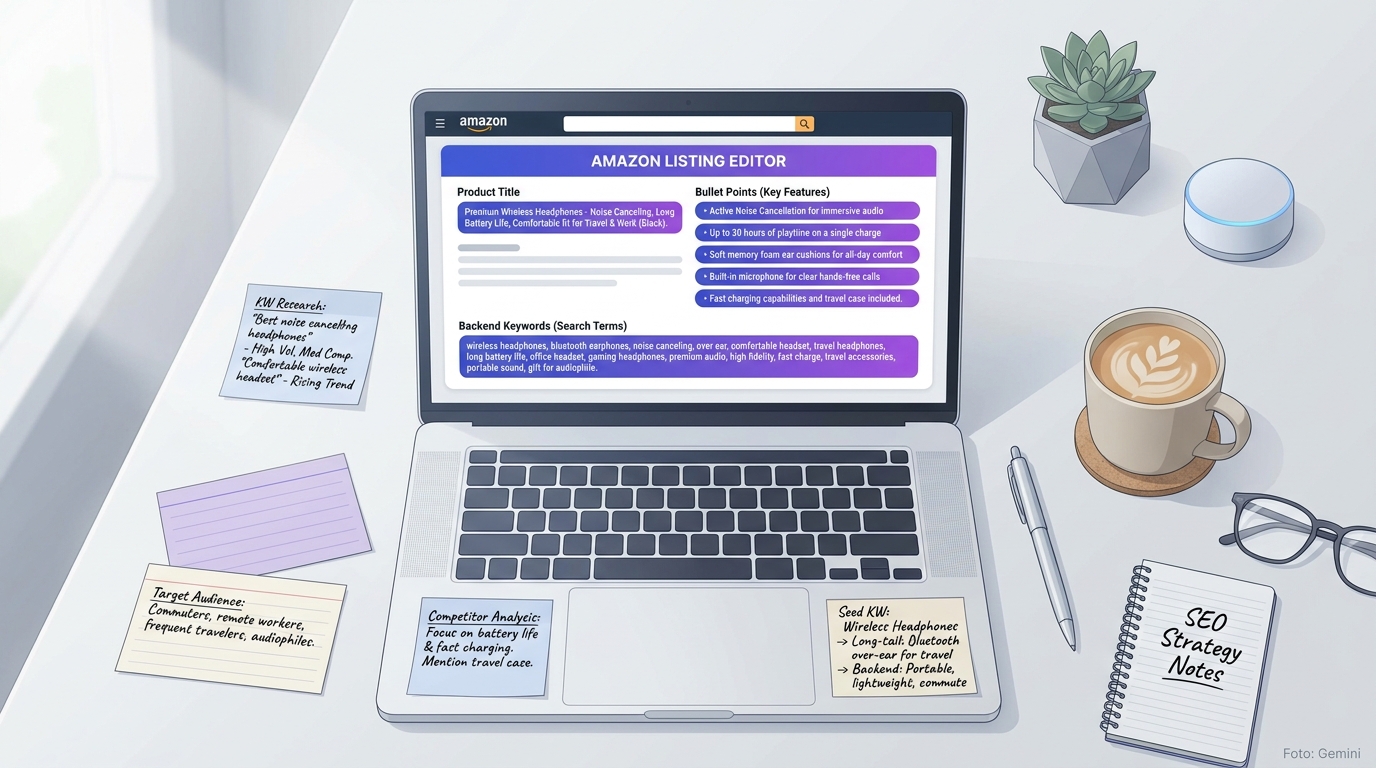
Why Listing Optimisation Is Not a One-Off Task
Many sellers optimise their listing once at launch – and then leave it untouched for years. That is a mistake. The Amazon algorithm (A10) continuously re-evaluates listings: based on click-through rate, conversion rate, return rate, and sales history. Those who do not regularly review their listing lose positions to sellers who iterate more actively.
Listing optimisation has two goals that are mutually dependent: visibility through organic ranking and purchase intent through a clear product presentation. A listing that ranks well but fails to convince wastes click costs. A listing that convinces but is not found still does not sell. Both sides must work.
The Most Important Fields at a Glance
Amazon distinguishes between indexed fields – which directly influence ranking – and conversion fields, which trigger the purchase. Many sellers confuse the two or neglect one of the two sides.
The following overview shows all relevant fields, their function, and their weighting in the algorithm:
- **Product Title (200 characters):** The strongest ranking signal. Place the main keyword as far forward as possible. No keyword stuffing – Amazon now penalises unreadable titles.
- **Bullet Points (5 × max. 500 characters):** Primarily conversion, secondarily ranking. The first two bullets are critical – they appear on mobile without scrolling.
- **Product Description / A+ Content:** No direct ranking influence, but a demonstrable effect on conversion rate (+3–10% according to Amazon's own data).
- **Backend Keywords (Search Terms in Seller Central):** Maximum 250 bytes. Only enter terms not already in the title or bullet points. Synonyms, spelling variants, foreign-language terms.
- **Main Image:** No ranking signal, but the strongest lever for click-through rate (CTR). White background is mandatory; the product must fill 85% of the image frame.
- **Gallery Images (up to 9):** Show usage contexts, dimensions, materials – reduce returns through realistic expectations.
- **Product Attributes (Subject Matter, Target Audience, etc.):** Used for browse node placements and discovery features – often underestimated.

Keyword Research as the Foundation
Without a solid keyword base, any optimisation is guesswork. The starting point is always the question: what terms do people type when searching for my product? Not: how would I search myself.
For structured research, the following approach is recommended:
- **Identify seed keywords:** Start with 3–5 obvious terms that accurately describe your product.
- **Use Amazon Suggest:** Type your seeds into the Amazon search bar and note all autocomplete suggestions – these are real search queries.
- **Check volume data:** Not every suggestion is relevant. Filter by search volume and prioritise keywords with manageable competition.
- **Don't ignore long-tail:** Keywords like 'stainless steel kettle 1.7 litre BPA-free' have lower volume, but significantly higher purchase intent than 'kettle'.
- **Analyse competitor listings:** Which terms appear repeatedly in top rankings? These are validated keywords with proven relevance.
Writing a Title That Ranks and Converts
The product title is the single most important field in the listing. It is simultaneously the strongest ranking signal and the first text that potential buyers see. Both requirements must be fulfilled in one piece of text.
Good titles follow a clear structure: Brand – Product Type – Key Differentiator – Relevant Specs. Example for a kitchen item: 'Brand Name Stainless Steel Kettle 1.7 L | BPA-Free | Temperature Control 60–100°C | Rapid Boil'. The main keyword 'Stainless Steel Kettle' comes first, the relevant specs follow logically. The title is readable whilst still containing several search-relevant terms.
- Main keyword within the first 80 characters (mobile truncation)
- Write numbers as digits (1.7 L rather than 'one and a half litres')
- No special characters except | and – for structure
- No price information, no promotional claims such as 'bestseller' or 'No. 1'
- Observe category-specific length: for clothing, 80–120 characters is sufficient; for electronics, 150–180 characters is appropriate

Bullet Points: Benefits Before Features
Most sellers construct their bullet points incorrectly. The typical mistake: listing features instead of communicating benefits. 'BPA-free stainless steel' is a feature. 'No plastic taste – even after years, it still tastes as fresh as on day one' is a benefit. Buyers purchase benefits.
Each bullet should follow a simple pattern: buyer's problem or desire → solution through the product → concrete example or figure. Bullets 1 and 2 appear on mobile devices without scrolling – the strongest purchase arguments belong there. Bullets 3–5 can contain more technical details and compatibility information.
- Each bullet begins with a capital letter or a bold short phrase
- Maximum one idea per bullet – no sub-lists within the bullet
- Cite figures and specific measurements where possible ('stays warm for 8 hours' rather than 'keeps warm for a long time')
- Guarantee and customer service in the last bullet – reassuring, not a purchase trigger
Backend Keywords: The Invisible Ranking Boost
Backend keywords are invisible to buyers but fully indexed by the Amazon algorithm. This makes them the most efficient place for terms that have no room on the front end or would be disruptive there: synonyms, dialect variants, anglicisms, alternative spellings.
The field has a limit of 250 bytes. Do not use commas – Amazon separates automatically by spaces. Do not repeat terms already in the title, bullet points, or description: this brings no additional indexing advantage. Instead: foreign-language search queries, common typos, broader terms, and subcategories.
- Never enter a keyword twice – terms already in the title only waste space
- Use regional spelling variants where relevant (e.g. British and American spellings of product terms)
- Include foreign-language terms if your buyers also search in other languages
- Deliberately use high-volume typos (e.g. common misspellings of your product name)

Images: What Actually Drives Conversion
The main image decides whether someone clicks in the search results. Everything else comes after. A poor main image cannot be compensated by perfect keywords – the click-through rate drops regardless, and a low CTR is a negative ranking signal.
For the main image: white background, no props, no text, no logo outside the product, the product fills 85% of the image frame. These rules do not apply to gallery images – and that is where the real opportunity lies. Gallery images explain what the product can do, how large it is, how it feels, who uses it, and why it is a better choice than an alternative the buyer already knows.
- Image 2: Size comparison with a familiar everyday object (hand, coin, chair)
- Image 3: Product in a real-world usage situation (lifestyle shot)
- Image 4: Close-up of the strongest USP (material, joint, surface)
- Image 5: Infographic with the 3–5 most important specs or features
- Image 6: Packaging contents (delivery scope) – reduces returns through clear expectations
- Images 7–9: Answer customer questions visually (compatibility, care, variants)
A+ Content: Worthwhile or a Waste of Time?
A+ Content (formerly Enhanced Brand Content) is available for brand-registered sellers. It replaces the product description with a modular layout featuring images, text, and tables. The direct influence on organic ranking is limited – but the indirect effect via conversion rate is measurable.
Amazon internally cites an average conversion increase of 3–10% when A+ Content is present. The real advantage: buyers who scroll down to the A+ Content are already deep in the decision-making process. Here, a brand story, a comparison chart, or a visually presented FAQ can provide the final nudge to purchase. A+ Content is particularly worthwhile for products requiring explanation, products with multiple variants, and listings where the return rate stems from a lack of understanding.
Common Mistakes and How to Avoid Them
After hundreds of listing audits, the same patterns appear again and again. These mistakes cost ranking and conversion – often without sellers noticing:
- **Keyword cannibalism:** Repeating the same keyword ten times throughout the listing brings no benefit. Amazon indexes each term once – regardless of frequency.
- **Readability sacrificed:** Titles like 'Kettle Stainless Steel BPA Free Tea Coffee Hot Water 1.7L Fast Quiet' are keyword-rich but unreadable. Purchase decisions are made by people, not algorithms.
- **Outdated keywords:** Search behaviour changes. A keyword set from two years ago may no longer reflect current search behaviour. Review at least once per quarter.
- **Main image not tested:** Many sellers have never run an A/B test on their main image. Yet it is the strongest conversion lever in the entire listing.
- **Backend left empty:** Surprisingly common: the backend keyword field is left completely empty. This wastes 250 bytes of free indexing space.
Prioritisation: Where to Start First
When optimising an existing listing, the order matters. Not everything has the same ROI. Follow this sequence:
Always start with keyword research – everything else is based on it. Then check the main image: if the CTR is below 0.3%, that is the first problem to solve. Next comes the title, then the bullet points, then the backend. A+ Content and gallery images are important, but they will not help you if the listing is not being clicked on in the first place.
- Step 1: Update keyword research
- Step 2: Check CTR in the Advertising Dashboard – below 0.3% indicates a main image problem
- Step 3: Check the title for main keyword placement and readability
- Step 4: Rewrite bullet points to lead with benefits rather than features
- Step 5: Fill backend keywords with new terms
- Step 6: Revise gallery images and A+ Content
- Step 7: Check ranking and conversion after 4–6 weeks, then plan the next iteration
Frequently Asked Questions
How often should I optimise my Amazon listing?
At least once per quarter, carry out a full keyword review. You should test your main image and title as soon as you notice that CTR is dropping or competitors are catching up. For seasonal products, review before each peak season.
What matters more: more keywords or better copy?
Both are necessary, but in sequence: without the right keywords, you will not be found. Without compelling copy, you will not get the sale. Start with keywords, then optimise for conversion.
Are backend keywords really indexed by Amazon?
Yes. If you add a keyword exclusively in the backend and then search for that term on Amazon, your product will appear in the results – provided the listing is strong enough overall to rank.
Do I need brand registration for A+ Content?
Yes. A+ Content is only available to sellers who have registered their brand in the Amazon Brand Registry. Registration is free, but requires a registered trademark or a pending trademark application.
Can I optimise a listing as a reseller if I am not the brand owner?
Only to a limited extent. As a reseller without brand registration, you can only change the title, bullet points, and backend keywords if you were the first seller on the listing or suggest changes via 'Contribute'. Brand owners take precedence. A+ Content is not accessible to resellers.
What does 'indexing' mean on Amazon?
Indexing means that Amazon has associated a specific search term with your product. Only indexed keywords can lead to ranking. You can check whether a keyword is indexed by entering your ASIN together with the term in Amazon search: if your product appears, the keyword is indexed.
Start free with Sellercore
With Sellercore you can see at a glance which of your listings have optimisation potential – without hours of manual analysis. Try it free now.
Sign up now