Amazon Transparency: Codes, Costs and How to Enrol
How Amazon Transparency stops counterfeits with one code per unit, the eligibility requirements, the cost per code, how enrolment works and when the programme pays off compared to Project Zero.

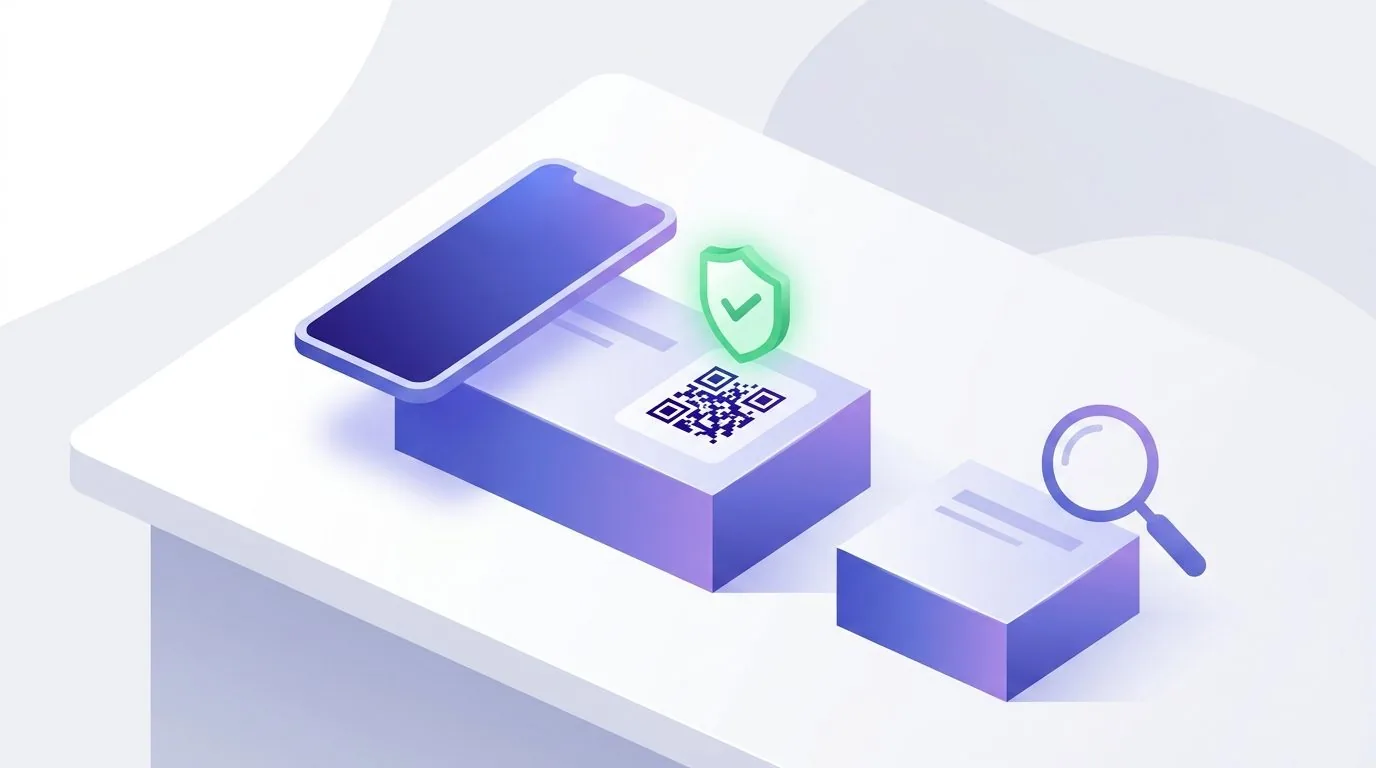
- Amazon Transparency gives every unit of a product its own code. Amazon checks it before the item reaches a customer and blocks units without a valid code.
- Brand owners with a registered trademark, the rights owner role in Brand Registry and a GTIN per product can join. You pay per code, with no enrolment or subscription fee.
- Transparency pays off mainly for products that are often counterfeited or hijacked. For simple reporting and removal, Brand Registry or Project Zero is often enough.
What is Amazon Transparency?
Amazon Transparency is a product serialisation and anti-counterfeiting programme. Every single unit of an enrolled product gets its own non-sequential code. Amazon records which code belongs to which product and checks it before the item ships to a customer. A unit without a valid code is not sold.
That makes Transparency different from most other protection tools. Brand Registry helps you report violations after they happen. Transparency steps in earlier: ideally a counterfeit never reaches the customer, because the counterfeiter cannot provide a valid code. This applies to every seller on your ASIN, including other sellers who attach themselves to your listing.
According to Amazon, more than 90,000 brands are enrolled and more than 2.7 billion units have been verified as genuine through Transparency. Enrolled products are protected in 10 countries, including the US, the UK, Germany, France, Italy and Spain. The figures come from the official programme page.
Requirements: who can use Transparency
Transparency is a programme for brand owners, not for sellers reselling other brands. You enrol with the same login as Brand Registry. If your access there is not working right now, sort that out first. Our Amazon Brand Registry guide explains how registration and access work.
For Amazon-issued codes there is one condition many sellers underestimate: you must be able to put a code on every unit you manufacture, wherever it is sold later. If you only label part of a batch, you will run into trouble as soon as unlabelled stock arrives at Amazon.
- 1Registered trademark
An active, registered trademark for your products. A pending trademark application is not enough.
- 2Rights owner role
An Amazon Brand Registry account linked to the trademark, with the rights owner role.
- 3GTIN per product
A GTIN for every product you enrol, usually a UPC or EAN.
- 4A code on every unit
With Amazon-issued codes, you must be able to label every unit you produce, regardless of the sales channel.
- 5Your own serial numbers (optional)
If you already serialise, you can connect your own codes: unique per unit, 7 to 20 characters long, externally scannable as a 1D, QR or 2D code and on the same side of the packaging as the GTIN.
How Transparency codes work
The codes Amazon issues are alphanumeric, unique and non-sequential. On the packaging they appear as a small square barcode. Because the sequence cannot be predicted, a counterfeiter cannot derive further valid codes from a genuine one.
Once protection is active for a product, every unit listed or shipped in a supported store needs a valid code. Amazon also requires a code whenever a new offer is created on the ASIN. If a unit fails a check, Amazon investigates and notifies you.
How the check works depends on the fulfilment method. With Fulfillment by Amazon, codes are scanned when units arrive in Amazon's network. With self-fulfilled orders, you provide the codes when you confirm the order in Seller Central. In both cases, protection only starts once your product has passed an operational performance review (more on that below).
Transparency does not only check your own stock. Every seller on your protected ASIN needs a valid code for every unit. That is exactly what makes the programme so effective against hijackers.
How much does Amazon Transparency cost?
Amazon charges no enrolment fee, no subscription and no minimum. You only pay for the codes you order. Adding or removing products is free. A per-unit price also applies to your own serial numbers if you connect them to Transparency.
The US programme page lists the following tiers per code in US dollars. The tiers are based on cumulative annual volume, which resets on the anniversary of your account creation. The prices that apply to your account are shown in the Transparency portal.
- 11 to 1,000,000 codes
USD 0.05 per code
- 21,000,001 to 10,000,000 codes
USD 0.03 per code
- 310,000,001 codes and more
USD 0.01 per code
How to enrol in Transparency step by step
Enrolment itself takes a few days. Most of the time goes into changing your production and packaging. Before the first step, plan from which batch onwards the codes will be on the product and how long unlabelled stock will still be in circulation.
The fourth step matters most. Before protection starts, Amazon's German programme page says your product must pass an operational performance review with 98 percent accuracy. Amazon wants to see that your codes reliably reach the product before units without a code are blocked. If you connect your own serial numbers, this step is skipped.
- 11. Enrol brand and products
Log in to the Transparency portal with your Brand Registry credentials and enrol your products with their GTIN.
- 22. Choose an implementation
Amazon codes on labels, codes built into the packaging design, or connecting your own serial numbers.
- 33. Order and apply codes
Order codes in the portal or via API, download them and print them yourself, pass them to a service provider or build them into your packaging.
- 44. Pass the review
With FBA, start the review in the portal. For self-fulfilled orders, email your Transparency contact. Protection only starts once the review is passed.
- 55. Manage protection
Maintain products, reorder codes and view reports in the portal.
Applying codes: labels, packaging or service providers
Amazon generates the codes, but you apply them yourself or through a partner. The right option depends mainly on your volume and your supply chain. For small quantities, self-printed labels are the quickest way to start. For large runs, printing directly on the packaging usually pays off, because there is no labelling step per unit.
If your goods already go through a service provider who labels and packs, they can take care of the Transparency codes as well. Look for that when you choose a partner, along with a clear price per unit. What else a good provider should offer is covered in our FBA prep centre guide.
- 1Self-printed labels
Download the codes and print them on standard or custom labels in your own warehouse.
- 2Pre-printed labels
Get labels with codes from a print partner approved for Transparency.
- 3Service providers and co-packers
A partner handles labelling, packing and shipping, including the codes.
- 4Printing on packaging
The codes are applied during packaging printing, without a separate label.
- 5Your own serial numbers
Connect existing serialisation to Transparency through a serialisation service provider.
The Transparency app: what your customers see
Customers can scan a Transparency code with the Amazon Shopping app or with the dedicated Transparency app. A green check mark means the code is valid. A red X means it is not. This also works for products bought outside Amazon, as long as they carry an Amazon-issued code.
As a brand, you can choose what customers see after the scan: product details, images, videos or promotions. Customers can also contact the Transparency team through the app. These customer features only exist for codes issued by Amazon. If you connect your own serial numbers, you get neither the customer view nor the Transparency logo on the product page.
Transparency vs Project Zero: the difference
Project Zero is a second protection programme within Brand Registry, and the two are often confused. Project Zero combines three tools: you can remove counterfeit offers or entire listings yourself, without filing a report. Every removal trains Amazon's automated protections. And as a third element, Amazon lists product serialisation through Transparency.
Project Zero also requires the rights owner role in Brand Registry. In addition, you must have reported violations in the last six months with an acceptance rate of at least 90 percent. To stay in the programme, Amazon requires an accuracy rate of at least 99 percent. Self-service removal and the automated protections are free. According to the Project Zero programme page, it is available in 22 countries, including the US, the UK, Germany and Japan.
The difference in one sentence: Project Zero helps you remove counterfeits quickly, Transparency stops them from being sold in the first place. The two are not mutually exclusive. Amazon says brands that use both see the best results. With Project Zero you decide which products you additionally protect with codes.
Who should use Transparency?
Transparency pays off mainly for products that are counterfeited regularly or that keep attracting other sellers. Typical examples are well-known brands with high demand, cosmetics, electronics accessories and products where a fake is a safety risk. How other sellers attach themselves to your listing and what you can do about it is covered in our guide to common ASIN problems.
The cost per code is small, but it adds up across every unit, together with labels and working time. Using the US tiers: at 10,000 units a year, the codes cost USD 500, plus labels or printing. Compare that with the revenue counterfeits, a lost Buy Box and bad reviews are costing you today. To keep the codes in your calculation, you can record them as an indirect expense in the Sellercore Profit Dashboard and assign them to individual products.
A warning sign that action is needed is a sudden switch of the Buy Box to a seller you do not know. In the repricing log of the Sellercore Repricer, every event shows the Buy Box status and a snapshot of the competition. If an unknown seller keeps showing up on your own brand, that is a good reason to look at Transparency.
A product that regularly attracts other sellers or counterfeits is a candidate for Transparency. Start with that product instead of switching your whole range at once.
Conclusion: stop counterfeits before they are sold
Amazon Transparency is the most effective tool Amazon gives brand owners against counterfeits. Every unit needs a valid code, and Amazon checks it before the item reaches the customer. The price is a small amount per unit and the obligation to label truly every unit.
Check the requirements first: registered trademark, rights owner role, GTIN. Then pick a product that is often hijacked, work out how the code gets onto the packaging and enrol it. The reports in the portal then show you how many units without a valid code were stopped.
Frequently asked questions
How much does Amazon Transparency cost?
There is no enrolment or subscription fee, you pay per code. On its US page, Amazon lists USD 0.05 per code up to 1 million codes a year, USD 0.03 up to 10 million and USD 0.01 beyond that. The prices for your account are shown in the Transparency portal.
Who can join Amazon Transparency?
Brand owners with an active, registered trademark, a Brand Registry account with the rights owner role and a GTIN for every enrolled product. With Amazon-issued codes, you must be able to label every unit you produce.
Does Transparency work for self-fulfilled orders?
Yes. For self-fulfilled orders, you provide the codes when you confirm the order in Seller Central. With Fulfillment by Amazon, Amazon scans the codes when the units arrive.
What is the difference between Transparency and Project Zero?
Project Zero lets you remove counterfeit offers yourself and strengthens Amazon's automated protections, and it is free. Transparency uses one code per unit to stop counterfeits from being sold at all, and it costs per code. You can combine both.
Which countries does Transparency cover?
According to Amazon, the US, Canada, Germany, France, Italy, Spain, the UK, Australia, India and Japan. Enrolment is global, so you do not have to enrol separately for each store.
Did this article help? Mark Sellercore as a preferred source on Google to see our articles more often in search results.
Add Sellercore as a preferred source on Google

Try Sellercore free for 14 days.
No credit card, connected to Amazon in a few minutes.